
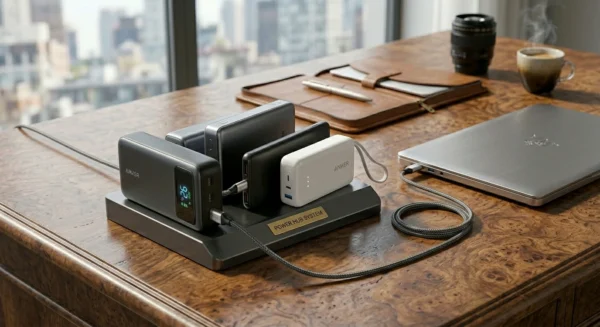
In this guide to Best Power Banks for Laptops 2026, we break down real performance
Most people find out the hard way: a power bank that charges your phone in two hours might take six hours to trickle-charge your laptop — or do nothing at all. In 2026, USB-C Power Delivery has become the standard for laptop charging, but not every USB-C port is the same. Not every power bank labeled “laptop-compatible” actually is.
This guide focuses specifically on the best power banks for laptops 2026 — devices that can deliver real wattage, maintain a charge under load, and work with MacBook, Dell XPS, ThinkPad, Surface, and other modern machines. No filler. No marketing fluff. Just honest specs and practical context.
→ For the full roundup of every category, see our Best Power Banks 2026 – Complete Buying Hub.
What Makes a Power Bank Good for Laptops?
Before getting into specific products, it helps to understand what separates a real laptop power bank from an oversized phone charger.
1. Wattage Matters More Than mAh
Most people shop by milliamp-hours (mAh). That number matters, but for laptops, output wattage is what determines whether the device actually charges — or just maintains battery while the laptop is in use.
- 20W: Fine for phones and tablets. Will not charge most laptops.
- 45W: Charges lightweight ultrabooks slowly, like a 13-inch MacBook Air.
- 65W: The realistic minimum for most Windows laptops and MacBook Pro models.
- 100W: Handles larger MacBook Pros, Dell XPS 15, ThinkPad X1, and similar.
- 140W (PD 3.1): Covers high-performance laptops and gaming ultrabooks that draw more power under load.
The practical rule: if your laptop’s wall adapter is 65W, your power bank needs to output at least 65W to charge it at the same rate. Lower wattage means slower charging — sometimes much slower.
2. USB-C Power Delivery Protocol
USB-C is a connector type. Power Delivery (PD) is the protocol that makes high-wattage charging possible over that connector.
- PD 3.0: Supports up to 100W. Works with most current MacBooks and Windows laptops.
- PD 3.1: Extends the ceiling to 240W. Relevant for 140W charging, which newer high-performance laptops can accept.
Voltage negotiation happens automatically between the power bank and the device. The laptop requests what it needs; the power bank supplies it — as long as the power bank supports the protocol and has sufficient output.
3. Battery Capacity vs. Usable Output
mAh ratings are measured at the battery’s internal voltage (usually 3.6–3.7V). Laptop charging happens at higher voltages (typically 9V, 12V, or 20V). The conversion involves energy loss.
A rough rule: expect to recover 50–60% of rated mAh as actual usable laptop charge, accounting for conversion inefficiency and heat.
| Rated Capacity | Usable Output | Wh |
|---|---|---|
| 20,000mAh | ~10,000–12,000mAh | ~72Wh |
| 24,000mAh | ~13,000–14,400mAh | ~86Wh |
| 27,000mAh | ~14,500–16,200mAh | ~97Wh |
Watt-hours (Wh) is actually the more useful number for comparing power banks. A 24,000mAh bank at 3.6V = 86.4Wh. That’s a reliable way to estimate real-world capacity.
Can a Power Bank Really Charge a Laptop?
Yes — but only under the right conditions.
Three things need to line up:
- The laptop accepts USB-C charging. Most modern ultrabooks and MacBooks do. Many gaming laptops still rely on proprietary barrel connectors, though that’s changing.
- The power bank outputs enough wattage. If the power bank’s max output is less than what the laptop needs to charge, it may power the laptop without actually increasing battery level.
- The cable supports the wattage. This is where many setups fail silently. A cheap USB-C cable may cap at 60W even if the power bank and laptop both support 100W.
Realistic Examples
| Laptop | Charger Wattage | Min Power Bank |
|---|---|---|
| MacBook Air M3 | 30W–67W | 45W / 65W |
| MacBook Pro 14″ | 70W–96W | 65W / 96W+ |
| MacBook Pro 16″ | 140W | 96W / 140W |
| Dell XPS 13 | 45W–65W | 45W–65W |
| ThinkPad X1 | 65W | 65W |
Gaming laptops that draw 180–230W under load are generally not practical candidates for power bank charging. The power bank can extend battery life when the GPU isn’t under stress, but won’t charge the laptop while gaming.
What to Look for Before Buying
Minimum 65W Output
For anything beyond a phone or tablet, 65W is the floor. Below that, you’re looking at either slow trickle-charging or no charging at all for most laptop models.
The exception: if you own a 13-inch MacBook Air or a very light ultrabook with a 30–45W charger, a 45W power bank can work. But 65W covers far more scenarios and is worth the modest size and cost difference.
PD 3.1 Support
PD 3.1 became relevant as Apple’s 16-inch MacBook Pro and certain Dell and Lenovo high-performance models pushed toward 140W charging. If your current laptop doesn’t need it, your next one might. Power banks with PD 3.1 are backward-compatible with PD 3.0 devices.
Input Charging Speed
A 24,000mAh power bank that only accepts 18W input will take 5–6 hours to recharge. Models that accept 65W or 100W input refill in 1.5–2.5 hours — a meaningful difference for daily use.
Look for power banks that clearly specify input wattage, not just output. Some manufacturers bury this spec or omit it entirely.
Airline Safety
IATA and TSA rules limit lithium battery capacity to 100Wh for carry-on. Banks between 100Wh and 160Wh require airline approval and are typically allowed in carry-on only. Banks above 160Wh are prohibited on passenger aircraft.
For frequent travelers, staying under 100Wh is the easiest approach. A 24,000mAh bank at 3.6V = 86.4Wh — comfortably legal. A 27,000mAh bank often hits 97–99Wh, which is still technically under the limit but cuts it close depending on the airline’s interpretation.
Always verify with your airline. Rules are consistent in principle but enforcement varies.
Weight and Portability
A 20,000mAh laptop-capable power bank typically weighs 400–500g. At 26,000–27,000mAh with higher cell density, expect 500–650g. That’s meaningful bag weight for frequent travelers.
Consider your actual use case. If you need maximum capacity for long international flights, the extra weight is worth it. For daily work-from-cafe use, a lighter 65W bank in the 20,000mAh range is likely the better fit.
Our Top Picks for Best Power Banks for Laptops 2026
Best Overall Laptop Power Bank — Anker 737 Power Bank
~$95 | 24,000mAh | 140W Max Output (PD 3.1) | 86.4Wh
The Anker 737 has earned its position as the benchmark laptop power bank. According to manufacturer specifications, it outputs up to 140W on a single USB-C port — enough to charge a 16-inch MacBook Pro at near wall-charger speeds, a Dell XPS 15 at partial speed, or virtually any ultrabook without compromise.
It has three ports: two USB-C and one USB-A. When both USB-C ports are in use, the total output is split, so single-device charging gets the full 140W allocation. The display shows remaining capacity as a percentage — more useful than the generic LED indicators on cheaper models.
At 86.4Wh, it falls within airline carry-on limits under IATA regulations. Weight is approximately 630g (according to manufacturer specifications), which is reasonable for a high-output power bank in this capacity class.
Input speed: Up to 100W, meaning a full recharge takes roughly 1.5–2 hours with an appropriate charger.
Real-world use cases:
- MacBook Pro 14-inch or 16-inch — charges at or near wall-charger speeds
- Dell XPS 15 — partial speed charging, still meaningful during flights
- Remote workers who need one bank to cover laptop, phone, and tablet simultaneously
- Travel professionals on long-haul flights
Not ideal for: Gaming laptops with high TDP, or anyone prioritizing ultra-light carry weight above all.
Best Power Bank for MacBook — UGREEN Nexode Power Bank 145W
~$100 | 25,000mAh | 145W Max Output (PD 3.1) | 90Wh
The UGREEN Nexode 145W is particularly well-suited to the MacBook ecosystem. Its 145W peak output — per manufacturer specifications — supports even recent 16-inch MacBook Pro models that can draw very high charging wattage under optimal conditions.
UGREEN has been consistent about its Nexode line’s compatibility with USB-C Power Delivery standards used by MacBook models. Newer MacBook Air systems can take advantage of higher USB-C PD charging rates rather than falling back to slower charging tiers.
The 90Wh capacity is under the 100Wh airline limit, keeping it uncomplicated for carry-on. Two USB-C ports and one USB-A port. The build is compact for its capacity — slightly denser cell technology than some competitors.
Input speed: Up to 100W input. According to manufacturer specifications, a full recharge takes approximately 1.5 hours.
Real-world use cases:
- MacBook Air M3 or M4 — charges efficiently with single cable
- MacBook Pro 14-inch — charges at or near full speed
- MacBook Pro 16-inch — near wall-charger charging speeds supported
- Creative professionals traveling between shoots or events
Best Budget Laptop Power Bank — Baseus Blade 2
~$60 | 20,000mAh | 100W Max Output (PD 3.0) | 65Wh
The Baseus Blade 2 made a specific design choice: slim profile over maximum capacity. It’s one of the thinner laptop-capable power banks on the market, which makes it easier to slip into a slim laptop bag.
The trade-off is capacity. At 65Wh, it holds noticeably less than 86Wh competitors. The upside: 65Wh is below the airline limit with comfortable margin, and the 100W output is sufficient for most ultrabooks and 13–14″ MacBook models.
According to manufacturer specifications, some regional variants support up to 100W output via USB-C PD 3.0 and accept up to 65W input. That 65W input is one of its better attributes at this price point — recharge time is around 2 hours, which is reasonable.
Real-world use cases:
- Students carrying a slim laptop bag
- MacBook Air users who need a reliable top-up on travel days
- Daily commuters who prioritize thin and light over maximum capacity
- Dell XPS 13 or Lenovo Yoga users with 65W chargers
Limitation: Not ideal for 16-inch MacBook Pro or any laptop with a 130W+ wall charger if near-native charging speed is required.
Best Laptop Power Bank for Travel — Anker 733 (GaNPrime PowerCore 65W)
~$60 | 10,000mAh | 65W Max Output (PD 3.0) | 36Wh
The Anker 733 is the lightest option on this list that can still genuinely charge a laptop. At 36Wh and roughly 220g, it’s closer to a large phone charger in weight — but its 65W USB-C output is sufficient for ultrabooks, including MacBook Air and most Windows thin-and-light machines.
The catch is clear: 10,000mAh at 36Wh doesn’t provide a full charge for most laptops with 50–70Wh batteries. It’ll add 40–60% on a MacBook Air, or keep an ultrabook running for a couple of hours if it’s already partly charged.
For travel, its real value is versatility. A single cable, one compact device, handling phone and laptop top-ups without the 500g weight of a full-size bank. The 65W output also means it doesn’t slow-trickle — what it has, it delivers at real speed.
Airline compliance: 36Wh is well under any airline threshold.
Real-world use cases:
- Day trips and city travel where full charges aren’t needed
- Conference or business travel where you charge at the hotel and need a buffer
- MacBook Air users who want minimal carry weight
- Ultrabook users on 4–6 hour travel days
Best High-Capacity Laptop Power Bank — Baseus Amblight Pro 30,000mAh
~$110 | 30,000mAh | 140W Max Output (PD 3.1) | Borderline Airline Capacity
At 30,000mAh, this is the largest practical option for users who want maximum runtime before needing to recharge. According to manufacturer specifications, its 140W output via PD 3.1 supports high-demand laptops, and its dual USB-C setup allows simultaneous charging of multiple devices.
Important: Depending on regional version and battery configuration, the Baseus Amblight Pro may approach or exceed the 100Wh airline carry-on threshold. Travelers should verify the exact Wh rating printed on the unit before flying. Frequent flyers may prefer safer sub-100Wh alternatives like the Anker 737 or UGREEN Nexode 145W.
Real-world use cases:
- Remote workers who go multiple days between wall outlets
- Photography or video professionals on location shoots
- Users prioritizing maximum capacity over portability
Quick Comparison Table
| Power Bank | Capacity | Max Output | Wh | Price | Best For |
|---|---|---|---|---|---|
| Anker 737 | 24,000mAh | 140W | 86.4Wh | ~$95 | Best Overall |
| UGREEN Nexode | 25,000mAh | 145W | ~90Wh | ~$100 | MacBook Users |
| Baseus Blade 2 | 20,000mAh | 100W | 65Wh | ~$60 | Budget / Slim |
Prices and weights per manufacturer specifications at time of writing. Always verify current Wh rating before flying.
Common Mistakes When Buying Laptop Power Banks
Buying by mAh without checking wattage. A 30,000mAh bank that only outputs 18W will not meaningfully charge a laptop. The mAh number is irrelevant if the wattage isn’t there.
Ignoring USB-C Power Delivery version. Some power banks have USB-C ports that output 5V/2A (10W) — enough for phones, useless for laptops. The listing will say “USB-C” without mentioning PD at all. PD version should be explicitly stated.
Using a low-quality cable. USB-C cables that are not rated for high wattage will limit charging speed regardless of what the power bank or laptop supports. For 100W+ charging, use a cable explicitly rated for that wattage. Many cables shipped with phones cap at 60W.
Buying an oversized bank without checking airline rules. Finding out at the gate that your power bank is over 100Wh is an expensive and frustrating lesson. Always check the Wh rating — not just mAh — before traveling.
Confusing phone power banks with laptop power banks. A bank that charges your phone quickly can still be completely ineffective for a laptop. Different wattage requirements, different protocols. The categories overlap in mAh numbers but not in real-world function.
Not checking input charging speed. A power bank that takes 8 hours to recharge is impractical for daily use. Input wattage is as important as output wattage for frequent users.
Frequently Asked Questions
Can a power bank charge a MacBook?
Yes — as long as the power bank supports USB-C Power Delivery and outputs sufficient wattage for the specific MacBook model. A 45W power bank can charge a MacBook Air (though slowly). A 96W or 140W bank is needed for near wall-charger speeds on a 16-inch MacBook Pro.
Is 65W enough for laptops?
For most ultrabooks and 13–14″ laptops, yes. A 65W output matches the wall charger that ships with many thin-and-light Windows laptops and MacBook Air models. It won’t charge a MacBook Pro 16″ at full speed, but it will charge it — just more slowly than the 140W wall adapter.
What size power bank is allowed on planes?
Per IATA regulations, power banks up to 100Wh are allowed in carry-on baggage without special approval. Banks between 100Wh and 160Wh require airline approval and must be in carry-on. Banks above 160Wh are prohibited on passenger aircraft. Always check with your specific airline, as enforcement can vary.
How many laptop charges can 20,000mAh provide?
A 20,000mAh bank is typically around 65–72Wh of usable energy after conversion losses. A MacBook Air with a 52.6Wh battery would theoretically get 1–1.2 full charges. A MacBook Pro 14″ at 70Wh gets roughly one full charge. Real-world results vary based on the laptop’s battery state and charging efficiency.
Are 140W power banks worth it?
For MacBook Pro 16-inch or Dell XPS 15 users, yes. These laptops can draw 96–140W during charging, and a matched power bank charges them at or near wall speed. For MacBook Air or 65W ultrabook users, the extra wattage doesn’t speed up charging — the laptop caps at its own maximum — but a 140W bank is future-proofed for more power-hungry devices.
Final Thoughts
The best power banks for laptops 2026 come down to matching the right wattage and capacity to your actual setup — not chasing the largest mAh number available.
Here’s a quick guide by use case:
- Best overall for most laptop users: Anker 737 — 140W output, 86.4Wh, airline-safe, covers MacBook Pro through XPS
- Best for the MacBook ecosystem specifically: UGREEN Nexode 145W — excellent USB-C PD compatibility for current MacBook models and high-wattage charging support
- Best budget pick for ultrabooks: Baseus Blade 2 — 100W output in a slim design, works for 65W laptops without breaking the budget
- Best for light travel: Anker 733 — 65W in a 220g package, enough for a MacBook Air top-up without the bulk
- Best high-capacity option: Baseus Amblight Pro — 30,000mAh and 140W, for users who go days without a wall outlet (verify Wh before flying)
The investment in a proper laptop power bank pays off the first time you make it through a long flight without losing your work session, or close a client meeting without hunting for a wall outlet.
Related reading:
- → For the full roundup of every category, see our Best Power Banks 2026 – Complete Buying Hub.
- Best Travel Power Banks 2026
- Best Fast Charging Power Banks 2026
- Power Banks on Airplanes 2026
That’s why choosing the Best Power Banks for Laptops 2026 is about wattage, not just capacity.
